Flow
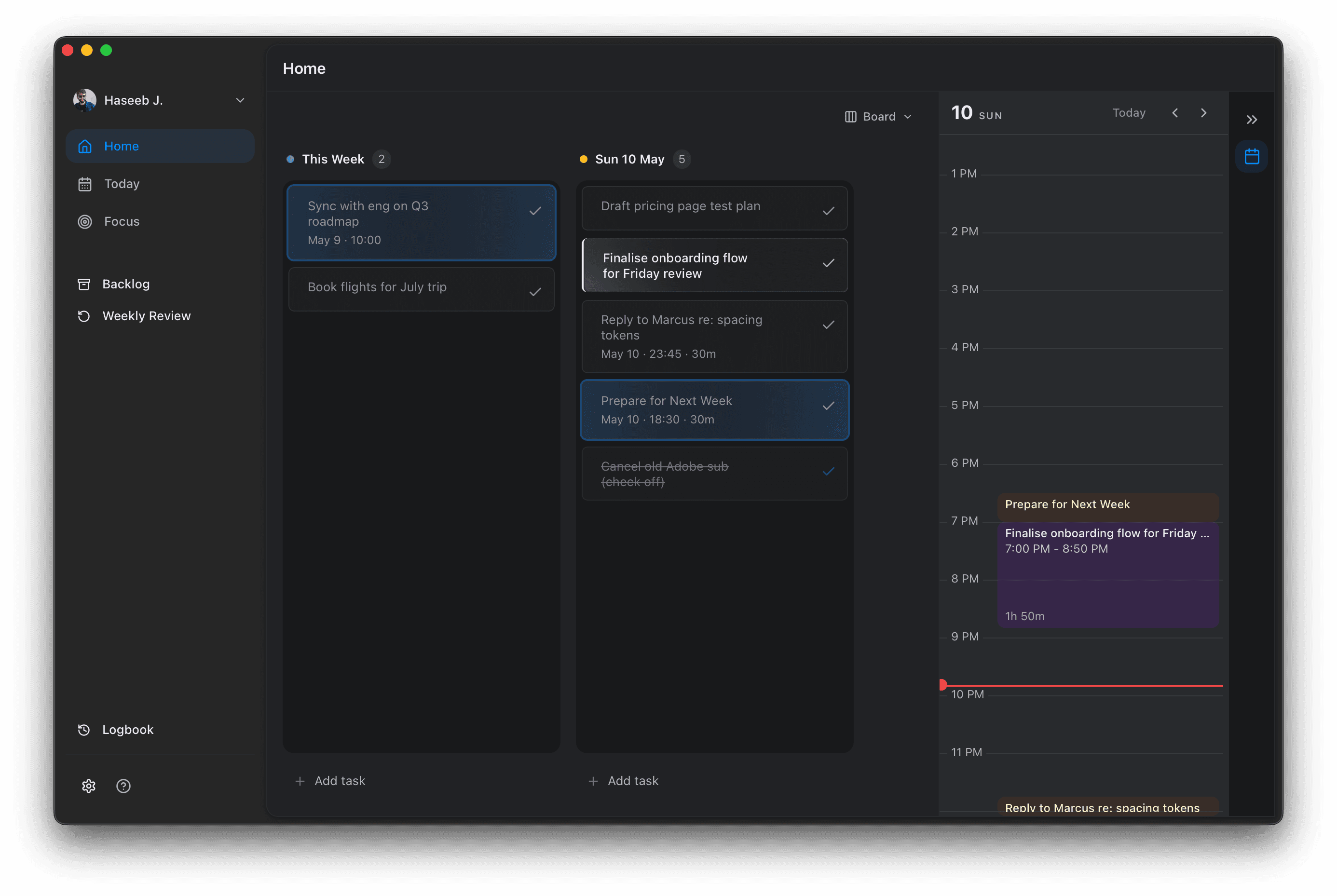
Today, on one screen.
A calm home for the tasks scattered across half a dozen apps.
No leaderboards, no nagging, no productivity score.
For Apple Silicon · macOS 13+
First open: right-click the app and choose Open. Or run in Terminal:
xattr -dr com.apple.quarantine /Applications/Flow.appFlow is unsigned during the alpha. macOS only asks once.
What's inside
Built for people who already have too many tabs open.
One screen for today
The week sits next to today. The day's calendar runs down the right edge of the window. Drag a task across, it lands on the calendar.
Quiet by design
No streaks, no badges, no red dots. Tasks that slip just show up tomorrow.
Lives on your Mac
Your tasks are stored locally. The network only gets touched for app updates.
Platforms
Mac first. The rest follow.
macOSAvailable now
iOSComing soon
WindowsOn the roadmap
LinuxOn the roadmap